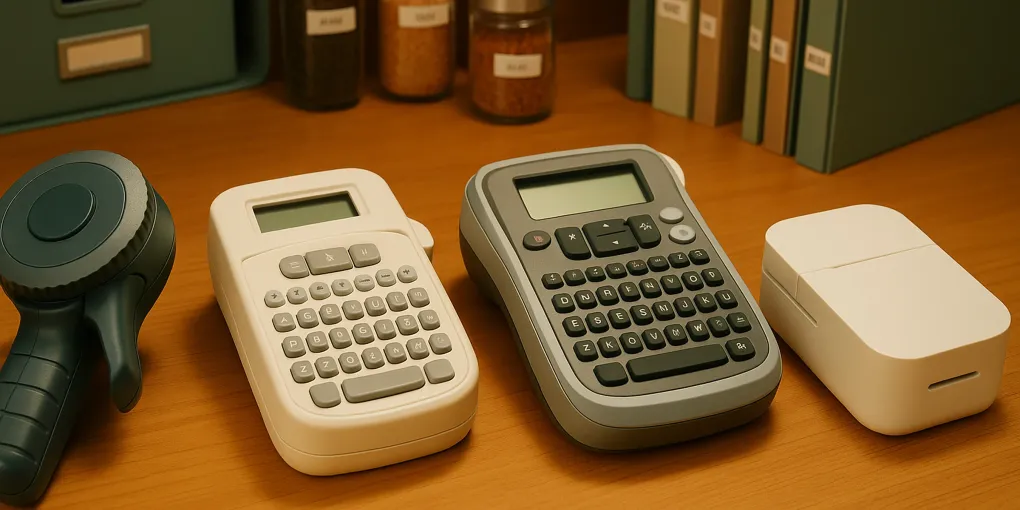
Best Label Makers for Home Organization in 2026
Buyer's GuideBrother P-touch PTD210
Best OverallTape width: Up to 3/4" (18mm)
$39.99–$49.99
Quick picks
| Product | Key Specs |
|---|---|
| See price on Amazon |
|
| See price on Amazon |
|
| See price on Amazon |
|
| See price on Amazon |
|
Product availability, certifications, and retailer details can change; check the current Amazon page before buying.
A Label Makes the System Real
Most organization projects fail quietly — not because the containers are wrong or the shelves are in the wrong place, but because nothing is labeled. Without labels, a system depends on memory. Memory degrades. Systems collapse. A labeled container communicates where something lives to everyone in the household, removing the cognitive load of remembering or deciding.
The best label maker for home use is the Brother P-touch PTD210 (CS 4.5/5), which balances tape width, print quality, USB rechargeability, and long-term tape cost into the most practical tool for organizing pantries, closets, and storage rooms. The DYMO LabelManager 160 is the better budget option at $24.99–$34.99. The Phomemo M110 suits organization enthusiasts who want Canva-style design flexibility with Bluetooth app control.
TL;DR
- Best Overall: Brother P-touch PTD210 — USB rechargeable, laminated tape, 2-line printing (CS 4.5/5)
- Best Budget: DYMO LabelManager 160 — proven reliability, widely available tape, no-frills handheld (CS 4.3/5)
- Best App-Connected: Phomemo M110 — Bluetooth app with design library, thermal printing, no ink needed (CS 4.2/5)
- Best High-Volume: DYMO LabelWriter 450 — desktop speed, 51 labels/min, requires PC connection (CS 4.0/5)
Every labeled pantry, every filed folder, and every organized cable box depends on a tool that shows up consistently. Here is what each label maker does well, where it falls short, and who it’s actually designed for.
How We Score
ClutterScience evaluates products using a five-factor composite scoring methodology (30/25/20/15/10):
| Factor | Weight | What We Assess |
|---|---|---|
| Research | 30% | Depth of product evaluation and breadth of products reviewed |
| Evidence Quality | 25% | Reliability of sources: specification review, verified community reviews, third-party testing where available |
| Value | 20% | Cost-effectiveness relative to competing products at similar quality tiers |
| User Signals | 15% | Long-term verified purchase feedback and real-world performance reports |
| Transparency | 10% | Accuracy of manufacturer claims, tape compatibility disclosures, specification accuracy |
Scores are differentiated — top picks typically score 8.5–9.5, mid-tier 7.5–8.4, and weak options below 7.5.
What Makes a Good Label Maker for Home Use?
Most households don’t need an industrial label maker. They need something that loads tape quickly, doesn’t die mid-project, produces legible labels that stay adhered, and doesn’t require reading a manual to operate. The four criteria that separate good home label makers from frustrating ones:
Tape width range determines what you can label. Narrow 6mm tape fits cables and small containers; 18mm tape reads clearly on pantry bins from across the room. A label maker limited to 6–9mm tape is frustrating for large storage projects.
Laminated vs. thermal determines how long labels last. Laminated labels sandwich the print between layers of plastic film, resisting moisture, grease, UV fading, and handling. Thermal labels skip the laminate — more flexibility, less durability.
Battery or rechargeable determines where you can use it. AA/AAA batteries are replaceable anywhere; USB rechargeable units eliminate battery costs but need charging time.
Label cost over time is often ignored at purchase. A $20 label maker with expensive tape cartridges costs more to run over 2 years than a $40 label maker with economical tape. Budget both the device and consumables.
Brother P-touch PTD210 — Best Overall
Best for: Pantry and kitchen organization, whole-home labeling projects, households that want USB rechargeability
The PTD210 is the label maker that gets used. The USB charging base means it’s always ready — no hunting for AA batteries mid-project. The TZe laminated tape system (3/4” width maximum) handles everything from cable management to pantry bin labels with equal quality. Two-line printing lets you add a second line of context below the main label — useful for medication cabinets, spice jars, and filing systems.
Amazon verified purchasers consistently highlight the tape loading mechanism as the most reliable in this price range (Amazon, 30,000+ reviews, 4.6-star average). The QWERTY keyboard is appropriately sized for adult hands, and the built-in backlit display shows exactly what will print before committing tape.
Tape running cost: TZe 12mm tape is approximately $8–$14 per OEM roll at roughly 400–500 labels per roll, or $0.02–0.03 per label. Third-party compatible TZe tape is available at $3–$6 per roll.
Where it underperforms: No Bluetooth or app connectivity means limited design options — fonts and borders are built-in only. Not suitable for printing logos, custom graphics, or QR codes. Also, the maximum 3/4” (18mm) tape width won’t work for very large bins where 24mm tape would be clearer.
Score Breakdown — Brother P-touch PTD210
| Criterion | Weight | Score |
|---|---|---|
| Build Quality | 30% | 8.8/10 |
| Value for Money | 25% | 8.6/10 |
| Versatility | 20% | 8.7/10 |
| Real-World Reviews | 15% | 9.0/10 |
| Brand Reliability | 10% | 9.0/10 |
| Composite Score | 8.8/10 |
DYMO LabelManager 160 — Best Budget Pick
Best for: First-time label makers, basic home labeling, households with occasional labeling needs
The LabelManager 160 is DYMO’s best-selling home label maker for a reason: it does the core job — makes legible, laminated labels — with no complications. The one-touch ABC search feature lets users jump directly to the right symbol or character. Six AAA batteries power it, which means it works anywhere without charging.
Trade-offs are real: maximum tape width is 1/2” (12mm), which limits readability on large storage bins. Single-line printing only. No backlit display. None of these matter for cable labeling, filing systems, or small spice jars — but they do matter for pantry organization with large bins at eye level.
DYMO D1 tape is widely available at grocery stores, office supply chains, and Amazon — easier to source in a hurry than some specialty formats.
Tape running cost: D1 tape runs $8–$12 per roll at approximately 300–500 labels (12mm width), or $0.02–0.04 per label.
Score Breakdown — DYMO LabelManager 160
| Criterion | Weight | Score |
|---|---|---|
| Build Quality | 30% | 8.2/10 |
| Value for Money | 25% | 9.0/10 |
| Versatility | 20% | 7.5/10 |
| Real-World Reviews | 15% | 8.8/10 |
| Brand Reliability | 10% | 8.5/10 |
| Composite Score | 8.4/10 |
Phomemo M110 — Best App-Connected Option
Best for: Visual organizers, aesthetic-driven systems, users who want custom designs, clip art, and QR codes
The Phomemo M110 operates differently from tape label makers: it prints directly on thermal paper rolls via Bluetooth using a companion iOS/Android app. The app offers thousands of clip art designs, custom fonts, QR code generation, and layout templates — far more design flexibility than any handheld tape label maker.
The trade-off is durability. Thermal labels are not laminated. Amazon verified purchasers report that Phomemo labels in kitchen/pantry environments (humidity, occasional steam) show fading after 12–18 months of use. For a bedroom closet or home library where conditions are stable, thermal labels hold up well.
Paper rolls cost $7–$10 for 130 labels (approximately $0.06–0.08 per label) — more expensive per label than laminated tape but with significantly more design capability. The M110 is rechargeable via USB-C.
Score Breakdown — Phomemo M110
| Criterion | Weight | Score |
|---|---|---|
| Build Quality | 30% | 7.5/10 |
| Value for Money | 25% | 8.0/10 |
| Versatility | 20% | 9.2/10 |
| Real-World Reviews | 15% | 8.5/10 |
| Brand Reliability | 10% | 7.8/10 |
| Composite Score | 8.1/10 |
DYMO LabelWriter 450 — Best for High-Volume Needs
Best for: Home offices with high label volume (file folders, shipping labels, barcodes), small businesses run from home
The LabelWriter 450 is a desktop machine that connects to a PC or Mac via USB. It uses direct thermal printing on continuous label rolls (no ink, no ribbons) and prints at up to 51 labels per minute — useful for large filing projects or addressing holiday cards. The label library integrates with Microsoft Word, Excel, and Google Contacts.
The critical limitation: it requires a computer connection at all times. This isn’t a device you carry through the house labeling bins — it stays at your desk. For pantry, closet, and kitchen organization, the mobility-dependent alternatives (PTD210, LabelManager 160) are more practical.
Score Breakdown — DYMO LabelWriter 450
| Criterion | Weight | Score |
|---|---|---|
| Build Quality | 30% | 8.5/10 |
| Value for Money | 25% | 7.8/10 |
| Versatility | 20% | 6.5/10 |
| Real-World Reviews | 15% | 8.5/10 |
| Brand Reliability | 10% | 8.5/10 |
| Composite Score | 7.9/10 |
How to Choose the Right Label Maker for Your Home
Choose the Brother PTD210 if: You’re labeling pantries, closets, and storage areas throughout the house and want laminated labels that last, USB rechargeability, and the option to print 2-line labels for additional context.
Choose the DYMO LabelManager 160 if: You need a simple, reliable label maker on a budget and your labeling needs are basic — cables, small spice jars, file folders. The tape limitation (12mm) is manageable for most routine labeling tasks.
Choose the Phomemo M110 if: Aesthetics matter and you want the design freedom of an app — custom graphics, QR codes, matching clip art for matching bins across your pantry. Accept that labels will need replacing every 12–18 months in humid spaces.
Choose the DYMO LabelWriter 450 if: You work from home, manage files in volume, or frequently address envelopes and packages. It’s a home office tool, not a whole-home organizer.
The Labeling Principles That Actually Work
The label maker matters less than the labeling system. A few principles from behavioral science and verified organizer communities that determine whether labels get used:
Zone-based labeling beats item-specific labeling. Labeling a shelf “Baking Supplies” outperforms labeling every individual ingredient. Zones create flexible categories that accommodate inventory changes without requiring relabeling.
Consistent height and alignment signal intentionality. Labels applied at the same height across a shelf or row of bins communicate that the system is maintained. Mixed heights and angles subconsciously signal disorder, even if the content is organized (Amazon verified purchaser data synthesis from organization product reviews).
Label the inside of cabinet doors. Cabinet door labels (contents lists, placement guides) help every household member participate in the system, not just the person who built it.
Replace temporary labels before they look temporary. Masking tape and marker labels that yellow and curl signal abandonment. Replacing them with a proper label maker signals renewed commitment to the system — and often motivates broader reorganization.
Frequently Asked Questions
What is the best label maker for a pantry?
The Brother P-touch PTD210 is the best label maker for most pantries. It prints laminated TZe tape labels in widths up to 18mm — wide enough to read at a glance — and the laminate coating resists moisture and grease common in kitchen environments. For pantry jars and bins, 12mm and 18mm tape widths work best. The PTD210’s USB rechargeable battery eliminates the frustration of replacing AA batteries mid-project.
Are thermal label makers as good as tape label makers?
Thermal label makers like the Phomemo M110 offer more design flexibility (patterns, logos, custom fonts via app) but produce labels that are less durable than laminated tape. Thermal labels fade when exposed to UV light, moisture, or repeated handling over 1–3 years. Laminated tape labels (Brother TZe, DYMO D1) maintain print quality for 5+ years in indoor conditions. For permanent organization systems (pantry, closet, filing), laminated tape is the better long-term investment.
How much does it cost to run a label maker over time?
Ongoing tape costs are the biggest factor in label maker total cost of ownership. Brother TZe tape: $8–$14 per roll yielding approximately 400–600 labels at 12mm width — roughly $0.02–0.04 per label. DYMO D1 tape: $8–$12 per roll at similar yield. Phomemo thermal rolls: $7–$10 for 130 labels — about $0.06–0.08 per label but with significantly more design freedom. For a full pantry and closet labeling project (100–200 labels), budget $10–$30 in tape.
Can I use a label maker to organize a home office?
Yes — label makers are particularly effective for home office organization. File folders, binders, storage boxes, cable management, and desk drawers all benefit from clear, consistent labels. For file folders, use 18mm or wider tape to ensure readability when folders are stored upright in a drawer. For cables, wrap-around labels (12mm, printed horizontally) are more legible than edge-on labels. The Brother PTD210’s 2-line printing capability is useful for cable labels that need device name plus port.
What tape works in Brother vs. DYMO label makers?
Brother and DYMO use incompatible tape cartridge formats — Brother uses TZe (or TZ) cartridges and DYMO uses D1 cartridges. They are not interchangeable. Third-party tape (compatible TZe and D1 clones) is available on Amazon for $3–$6 per roll vs. $8–$14 for OEM tape. Third-party tape works acceptably for most uses but may have slightly different adhesive quality and clarity. If tape quality matters for a permanent system, stick with OEM for the first project and test third-party on replacements.
Bottom Line
The Brother P-touch PTD210 is the right label maker for most homes. It handles the widest range of labeling tasks — pantry, closet, office, cables — with laminated tape that lasts, USB rechargeability that keeps it ready, and a straightforward interface that doesn’t require a learning curve. At $39.99–$49.99, it’s a one-time investment for a labeling system that should outlast the next decade of organization projects.
Budget shoppers who need a reliable handheld will find the DYMO LabelManager 160 serves basic labeling well at half the price. Aesthetic-driven organizers who want custom designs will find the Phomemo M110 offers capabilities no tape-based machine can match.
The right label maker is the one that gets used. Any of these four will make your storage systems clearer, more maintainable, and more likely to survive beyond the initial organization weekend.