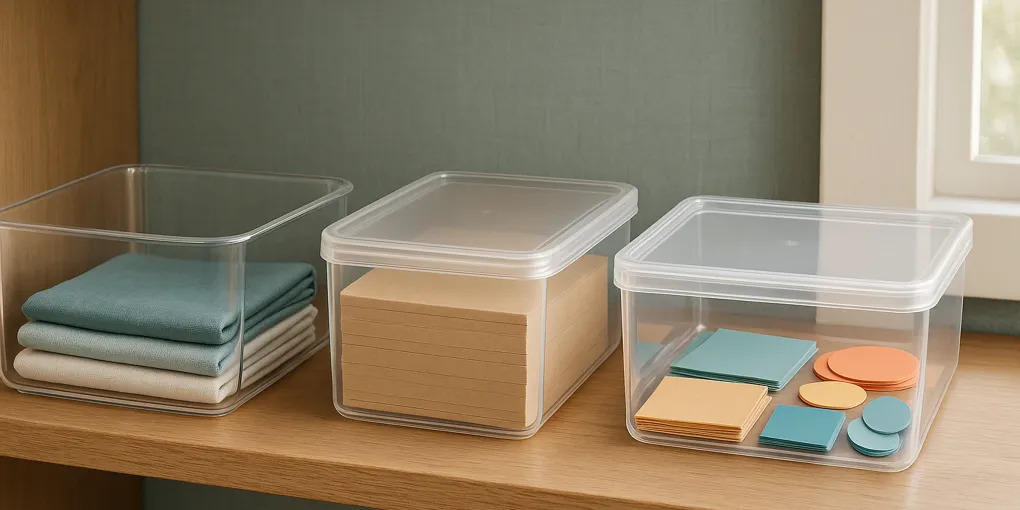
Clear Storage Bins for Craft Supplies: Three Current Options
Buyer's GuideClearSpace Clear Plastic Storage Bins
Best for direct accessFormat: Open-bin option; confirm the selected listing variation
Quick picks
ClearSpace Clear Plastic Storage Bins
★ Top pick Best for direct access- Format: Open-bin option; confirm the selected listing variation
- Best use: One bounded craft category you want to reach directly
- Caveat: Skip it when you need a lid or the current dimensions do not fit your measured zone
IRIS USA 21 Qt Stackable Bins with Lids (8-Pack)
Best multi-bin option- Format: Lidded 21-quart 8-pack identity
- Best use: Several separately bounded craft categories
- Caveat: Confirm the selected variation, dimensions, included pieces, and lid arrangement
Sterilite 12-Pack 6 Qt Storage Boxes
Best smaller-box option- Format: Lidded 12-pack 6-quart identity
- Best use: Smaller separately bounded craft categories
- Caveat: Confirm the selected size, included pieces, dimensions, and current terms
ClearSpace is the scoped top pick when direct access to one bounded craft category is the priority; choose a lidded option when that access pattern does not fit your measured storage plan.
Start with the measured zone, not the product photo
Clear bins make it easier to compare container formats, but they cannot tell you whether a specific listing fits the shelf, cart, or cabinet you have. Measure the usable width, depth, and height of the intended zone first. Then use the exact listing to confirm its selected variation, exterior dimensions, included pieces, lid arrangement, and seller terms.
This guide stays narrow: three current listings for a bounded craft-supply category. If you are choosing an access format before choosing a product, see open bins versus lidded bins for daily-use storage. For a room that also needs sticker-specific organization, see sticker organizers for a craft room.
Make a measurement card before comparing listings
Use one note for the zone and one line for every category you plan to store there. Record the usable width, depth, and height rather than the outside measurements of the furniture. A shelf can have a front rail, a cabinet can have a hinge, and a drawer can lose usable height when it closes. Those details belong in the comparison because the listing dimensions have to work with the space that is actually available.
Next, name the category in practical terms: one cardmaking project, one set of paints, one collection of adhesive tools, or another bounded group. The point is not to estimate how much a bin holds. It is to decide whether you are comparing one open container, several lidded containers, or a smaller-box group for that specific category. Write down whether you want direct top access or are willing to add a lid step. Also note whether you need one container or a pack of separate containers.
Keep the card beside the Amazon listing while you compare. For each selected variation, copy only the current facts that answer your card: exterior measurements, pack configuration, included pieces, and lid arrangement. If the page does not make one of those facts clear, do not turn a similar-looking listing into a substitute. Leave that option unresolved and compare another current listing instead.
How to use the three options without treating them as interchangeable
The ClearSpace listing is the open-format choice in this comparison. Start there only if your measurement card calls for direct access and one bounded category. The IRIS USA listing is identified as a 21 Qt, 8-pack lidded option, so its first comparison question is whether the current selected listing still presents the multi-bin configuration you need. The Sterilite listing is identified as a 12-pack of 6 Qt storage boxes, so compare it when smaller separate categories are the unit you want to evaluate.
Those are listing-identity differences, not promises about what any bin will hold or where it will fit. A pack can be the wrong decision even when an individual container looks suitable, and an open form can be the wrong decision even when its measurements match the zone. Keep the category boundary, access step, and current selected variation together when you decide. Then check the current price on Amazon only after the listing clears those fit questions.
Compare the listing facts that change the decision
| Current listing | Stated format to confirm | Best-use question | Skip-if question |
|---|---|---|---|
| ClearSpace Clear Plastic Storage Bins | Open bin | Do you want direct top access for one bounded category? | Does the category need a lid or does the current listing not fit the measured zone? |
| IRIS USA 21 Qt Stackable Bins with Lids (8-Pack) | Lidded multi-bin pack | Do you need several separate lidded containers? | Does the current variation differ from the space or pack configuration you planned for? |
| Sterilite 12-Pack 6 Qt Storage Boxes | Smaller lidded-box pack | Are smaller defined categories the right unit for your supplies? | Does the current listing leave the selected size, pieces, or terms unclear? |
The table is a starting point, not a fit claim. Product pages can group variations, so reopen the exact selected listing before you order. If a title, dimension, or pack count changes after you select an option, treat the newly displayed information as the current record.
Read the comparison table as a decision sequence
Start with the format column, because an open bin and a lidded box ask for different access steps. Then move to the best-use question and answer it from your measurement card, not from the product image. Finally, use the skip-if question as a stop point. A listing that misses a required detail is not a close match merely because it shares a clear appearance with another option.
For example, a reader who has one active, bounded category can first decide whether direct top access is the required format. That reader can compare the ClearSpace listing’s current dimensions and included pieces with the measured zone. A reader who instead needs separate containers can begin with the listed pack configuration of the two lidded options, then check the selected variation, measurements, and lid arrangement. Neither path assumes that a named capacity, a pack count, or a clear material makes the product suitable for a particular shelf or supply quantity.
This sequence also makes the tradeoff visible. For the direct-access use case that leads this guide, ClearSpace is our scoped top pick because it is the open-format option in this three-listing set. That ranking is not a universal fit claim: choose the IRIS or Sterilite path when your measurement card calls for lids or separate categories, and leave any option unresolved when its current listing does not answer a necessary fit question.
A simple way to divide craft supplies before choosing bins
Sort supplies by the space they occupy and the way you retrieve them. A current paper-cutting project, a set of cards, or one adhesive category is easier to evaluate when it has a defined boundary. Avoid treating all craft supplies as one category; that prevents you from comparing the bin’s form with the real storage job.
For each category, write down whether you want the top open or covered, whether you need one container or several, and where it will sit. That gives you a short comparison list before you visit product pages. It also keeps a lidded listing from being treated as the same choice as an open bin simply because both are clear.
Use a bounded skip-if check for every purchase path
Before choosing a listing, name the one fact that would make it a no. For an open-format option, that may be a category that requires a lid step or a listing whose displayed dimensions do not work with the measured zone. For a multi-bin listing, it may be a selected variation that does not show the pack configuration you planned around. For a smaller-box listing, it may be missing information about the included pieces, dimensions, or current terms.
This is not a generic checklist to complete after you have chosen a favorite. It is the decision boundary for the page. If you cannot answer the skip-if question from the exact Amazon listing, pause rather than assuming the answer. You can revisit the adjacent access-format guide when the format itself is unsettled, or use the stackable-bin guide when the larger storage context is the part that needs comparison.
Check the exact listing before buying
Use the same short check for each option:
- Confirm the current title and selected variation.
- Compare the displayed exterior measurements with the usable space you measured.
- Confirm the current pack configuration and included pieces.
- Check the lid arrangement or open format against the category’s access step.
- Review the current seller, return, and warranty terms.
If a listing does not answer one of those questions, leave that option unresolved instead of filling the gap with a similar product. The next useful question may be whether you need a different bin format, not whether a nearby listing looks close enough.
Where this comparison fits
If the storage zone needs a stackable-bin decision beyond a craft category, use our stackable storage bins for dorm rooms guide. That article has a different job: it focuses on a separate space context and its own listing checks. This page is for narrowing a craft-supply comparison after you have measured the intended zone.
FAQ
What should I measure before buying clear craft-supply bins?
Measure the usable width, depth, and height of the exact storage zone, including any door, shelf, or drawer obstruction. Compare those measurements with the current exact listing variation before ordering.
Should craft supplies go in open or lidded clear bins?
Choose the format by access. An open bin suits a bounded category you want to reach directly; a lidded option adds a lid step. Confirm the current listing details before deciding.
What should I check on Amazon before ordering?
Confirm the exact current title, variation, dimensions, pack configuration, included pieces, lid arrangement, seller terms, return terms, and warranty information.
How do I compare an open bin with a lidded pack?
Start with the access step for one bounded category, then compare the current selected listing’s dimensions and included pieces with your measured zone. Do not treat the two formats as equivalent simply because both are clear.
When should I skip a current listing?
Skip it when the selected variation does not fit the measured zone, its lid or open format does not match the access step you want, its pack configuration does not match the number of categories you are comparing, or a needed listing fact is unclear.