How to Build a School Command Center That Actually Gets Used
ProtocolQuick picks
Use this as a shortcut to the products mentioned below; verify dimensions and mounting limits against your space before buying.
- backpack hooks for wall: See current price on Amazon
- wall file pockets school papers: See current price on Amazon
- family weekly calendar board: See current price on Amazon
- lunch box storage bin: See current price on Amazon
How We Score a School Command Center
Use the checks below to compare whether the product actually fits the room, survives daily handling, and makes the next reset easier.
| Factor | Weight | What It Measures |
|---|---|---|
| Research | 30% | Fit with habit formation, retrieval friction, environmental cues, and household workflow evidence |
| Evidence Quality | 25% | Consistency with consumer-safety guidance, professional organizing practice, and product documentation |
| Value | 20% | Payoff relative to cost, setup time, durability, and space recovered |
| User Signals | 15% | Common household failure points, return complaints, repeated mess patterns, and ease of maintenance |
| Transparency | 10% | Clear tradeoffs, limitations, measurement assumptions, and when a cheaper option is enough |
For this protocol, the score is not a promise that one product or habit will solve clutter by itself. It is a way to compare whether the setup reduces decisions, keeps frequently used items visible, and makes resetting the space easier for the people who actually live there.
Why Most Command Centers Fail
A school command center should make mornings easier, not become another display wall to maintain. Many fail because they are designed around inspiration photos instead of traffic patterns. The wall looks beautiful on installation day, but backpacks still land on the floor, papers still pile on the counter, lunch boxes still hide in cars, and permission slips still disappear under adult mail.
The purpose of a command center is operational. It should answer the daily questions: Where does the backpack go? What needs to go back to school? What papers need a signature? What is happening this week? Where are lunch containers, water bottles, library books, instruments, sports gear, and outgoing returns? If the system cannot answer those questions quickly, it is decoration.
A working school command center has five traits. It sits near the real drop zone. It has fewer categories than you think. It uses open access for daily items. It separates action papers from reference papers. It has a reset ritual. Products can help, but only after the workflow is clear.
Useful supplies include backpack hooks for wall (See current price on Amazon), wall file pockets school papers (See current price on Amazon), family weekly calendar board (See current price on Amazon), lunch box storage bin (See current price on Amazon), and label maker home organization (See current price on Amazon).
Step 1: Map the Actual Drop Zone
Before installing anything, observe where school items land for three days. Backpacks may land by the door, on a kitchen chair, in a hallway, or beside the couch. Papers may land on the island. Shoes may land near the garage. Lunch boxes may remain in backpacks until bedtime. The actual drop zone tells you where friction is lowest.
Do not build the command center in a distant hallway just because there is wall space. A system that requires children to walk past their natural drop point will need constant reminders. If the ideal wall is not near the traffic path, create a smaller station where the traffic already is.
Write down the daily school streams: backpacks, shoes, papers, devices, lunch gear, sports gear, library books, instruments, and weather items. Then choose the three streams causing the most problems. Build for those first. You can add later.
Step 2: Create One Backpack Home Per Child
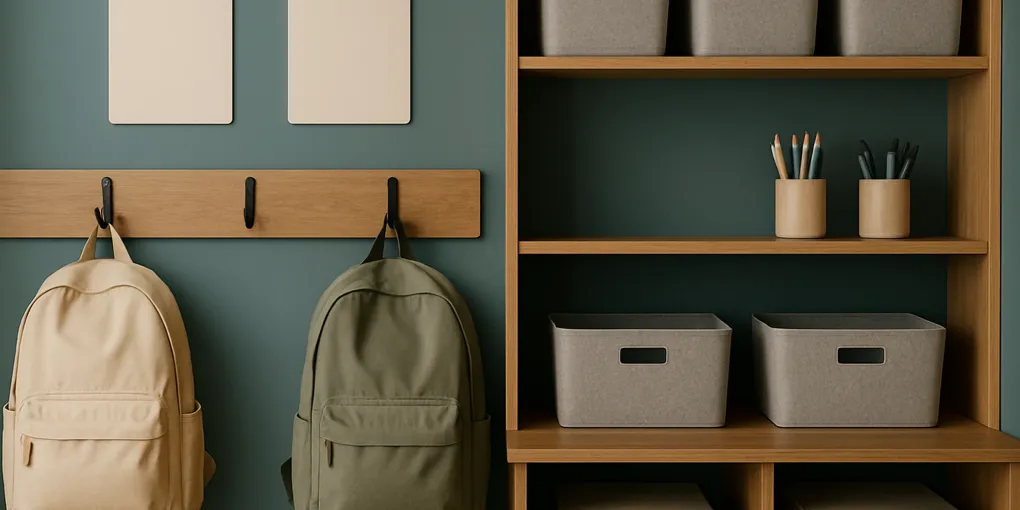
Backpacks need a visible, low-friction home. Hooks are usually better than cubbies because they are faster and allow bags to air out. Use one strong hook per child, mounted at a height the child can reach. If the bag is too heavy for a wall hook, use a floor-level bin or bench cubby.
Place the hook close enough to the door that the backpack does not travel through the house. Add a small label, color, or icon for each child. If children share similar bags, labels prevent morning confusion.
Do not overfill the backpack zone with extra decor. The hook must be easy to hit when a child is tired. Search for heavy duty backpack hooks wall mounted (See current price on Amazon).
Step 3: Add an Action Paper Slot
Every command center needs a paper decision point. Use a wall pocket, file holder, or tray labeled “Sign / Return.” If you have multiple children, use one action pocket per child plus one shared school information pocket. Avoid a single deep basket for all papers; it hides deadlines.
Teach the backpack routine: papers come out before snacks or screens. Action papers go in the pocket. Completed homework returns to the backpack folder. Artwork goes to a review spot. Routine worksheets go to recycling after parent review.
The action slot should be reviewed daily or every other day. If you cannot review that often, make the slot even more visible. Search for clear wall pocket sign and return papers (See current price on Amazon).
Step 4: Separate Calendar From Paper Storage
A calendar is for commitments, not for storing every flyer. Transfer dates from papers to the calendar, then decide whether the paper is needed. A weekly dry-erase board works well because school weeks change quickly. A monthly calendar is useful for big events but can be too crowded for daily logistics.
Use consistent symbols: lunch order, library day, gym day, instrument day, practice, pickup change, project due, spirit day. Keep markers attached to the board. If markers wander, the calendar stops being updated.
For digital-calendar households, the wall calendar can still show the next seven days. Children often need visual reminders even when adults use phones. Search for family weekly dry erase calendar board (See current price on Amazon).
Step 5: Build a Lunch Gear Zone
Lunch clutter spreads because containers move through sink, dishwasher, cabinet, backpack, and refrigerator. Create a lunch gear zone near the kitchen if the command center is nearby. Use one bin for lunch boxes, one bin or drawer section for containers, and a drying spot for water bottles. If the school station is far from the kitchen, use a small “return to kitchen” bin at the station.
Keep only the lunch gear currently in rotation. Extra novelty bottles, unmatched lids, and cracked containers create daily friction. Match lids weekly. Store backup items away from the daily zone.
Search for lunch box storage bin cabinet (See current price on Amazon) and water bottle drying rack (See current price on Amazon).
Step 6: Add an Outgoing Bin
Many school failures are outgoing-item failures: library books, permission slips, sports uniforms, show-and-tell items, return packages, teacher gifts, borrowed clothing, and instruments. An outgoing bin gives these items one place to wait near the door.
Use a shallow bin, not a deep basket. Label it “Take Tomorrow” or “Out the Door.” Empty it every morning. If items remain for more than a few days, review whether they are truly outgoing or just homeless.
For multi-child households, use color-coded bags inside the outgoing bin or a separate bin per child. Search for outgoing bin entryway organizer (See current price on Amazon).
Step 7: Write the Reset Checklist
A command center needs a tiny operating manual. Put the checklist where everyone can see it:
- Empty backpack.
- Put action papers in pocket.
- Put homework folder back in backpack.
- Move lunch gear to kitchen.
- Check calendar.
- Put tomorrow items in outgoing bin.
- Hang backpack.
Keep it short. If the checklist has twenty steps, no one will use it. For younger children, use pictures or icons. For older children, assign ownership: one child empties lunch, one checks papers, one resets sports gear.
Step 8: Run a Weekly Command Center Reset
Pick one weekly reset time. Sunday evening works for many families, but Thursday can be better if schools send papers midweek. During the reset, empty paper pockets, transfer dates, sign forms, recycle old notices, refill lunch supplies, check weather gear, and stage Monday items.
The reset should take fifteen minutes. If it takes an hour, the system is collecting too much. Remove categories, not motivation. The most common fix is to move archives elsewhere. A command center is for active life, not long-term storage.
Troubleshooting
If backpacks still land elsewhere, move the hook or use a floor bin. If papers pile on the counter, put the paper pocket closer to the counter. If the calendar is ignored, reduce it to the next seven days. If the outgoing bin overflows, empty it daily and remove non-school items. If one child uses the system and another does not, make that child’s zone more visible and lower effort.
If adults are the bottleneck, create an adult action pocket. Children can route papers, but adults still need a reliable signing habit. A command center cannot replace decision time; it can only make the decisions visible.
What to Buy First
If you are starting from scratch, buy in layers rather than purchasing a full wall system. First, install the backpack solution. Hooks, a bench cubby, or a labeled floor bin solves the largest physical object. Second, add paper routing with wall pockets or trays. Third, add the outgoing bin. Fourth, add the calendar only if your family will update it. A calendar that no one updates becomes visual noise.
For renters, use freestanding options: an over-door hook rack, a rolling cart, adhesive label holders, a desktop file sorter, and a basket by the door. For small apartments, place the station vertically on the inside of a closet door or on the side of a refrigerator if magnets are allowed. For mudrooms, avoid making every cubby identical if children have different needs. One child may need a sports shelf; another may need a paper pocket at eye level.
The best first purchase is usually not the prettiest item. It is the product that removes the most repeated reminder. If you say “hang up your backpack” ten times a week, start with hooks. If you say “where is the permission slip,” start with action folders. If you say “do not forget your library book,” start with an outgoing bin. Let the friction choose the organizer.
Sources and Further Reading
This protocol is based on reducing repeated decisions and making family routines visible. The CDC’s positive parenting tips support clear expectations, consistent routines, and age-appropriate responsibility. BJ Fogg’s Behavior Model supports placing hooks, bins, and paper pockets where the behavior already happens. EPA guidance on reducing household waste supports weekly paper review, recycling duplicates, and avoiding permanent piles of expired notices.
Frequently Asked Questions
Can a command center be inside a cabinet?
Yes, if the cabinet is on the traffic path and easy to open. Hidden systems work only when the opening step is effortless. For young children, open hooks and visible pockets usually work better than a closed cabinet.
What should not go in the command center?
Long-term archives, sentimental artwork, adult mail, old sports gear, and general household overflow should live elsewhere. If backpack storage is the main issue, use a separate kids backpack storage guide so daily bags do not compete with papers and keepsakes.
How do you handle multiple schools?
Use one child zone per student and one shared calendar. Do not create separate family calendars unless someone will maintain them. Color coding helps, but action labels are more important than colors.
What if mornings are still chaotic?
Move the reset earlier. A command center cannot fix decisions that are postponed until the school bus is coming. Pack bags, stage outgoing items, and review papers the evening before. Morning should be pickup and exit, not planning.
Bottom Line
A school command center works when it is a workflow, not a wall display. Put it near the real drop zone, give each child a backpack home, separate action papers from reference information, create a lunch and outgoing flow, and reset weekly. Start small. A hook, a paper pocket, a calendar, and an outgoing bin can solve more morning chaos than an oversized system no one wants to maintain.