Button Battery Separation Protocol for Junk Drawers and Remote Baskets
ProtocolQuick picks
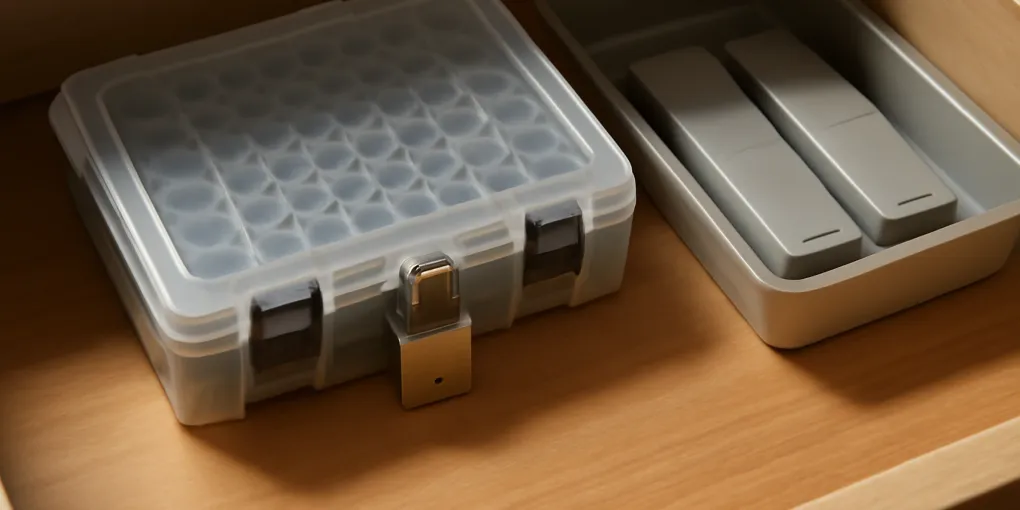
Small locking battery case
★ Top pick Best reset tool- Note: Use for spare coin and button cells that currently drift through drawers.
Remote-control tray
Best separation aid- Note: Keeps remotes visible so loose back covers and batteries are spotted sooner.
Button batteries do not belong in the same category as pens, paper clips, mystery keys, and loose remotes. They are small, shiny, easy to lose, and hazardous if swallowed. A junk drawer that feels merely messy can become a high-risk zone when coin cells, remote backs, hearing-aid batteries, tea lights, calculators, and toy parts land in the same pile.
This protocol is a fast reset for households that find button batteries in junk drawers, media baskets, holiday bins, bedside drawers, or toy storage. It is not a medical article. It is a storage-control plan: remove loose cells from casual clutter zones, secure spares, inspect devices that use them, and make spent batteries easier to recycle.
For ordinary AA and AAA storage, see our utility drawer battery storage protocol. Button and coin cells need stricter separation.
Quick picks for reducing loose-cell access
- Secure spare cells: Search Amazon for small locking battery cases. Use a case that closes firmly and is stored out of child reach.
- Tame remote baskets: Search Amazon for remote-control organizer trays. Use a tray so battery covers and loose cells are visible, not buried.
- Label the recycle hold: Search Amazon for small lidded utility bins. Use a clearly separated container for spent cells awaiting local drop-off.
Why this drawer deserves a different rule
The American Academy of Pediatrics warns that button batteries can cause serious injury if swallowed and urges families to keep them away from children and check that battery compartments are secure (HealthyChildren button battery injuries guidance). The National Capital Poison Center gives similar emergency guidance and emphasizes rapid action if a button battery is swallowed (Poison Control button battery guidance).
Those warnings change the organization standard. The goal is not simply to make the drawer look better. The goal is to reduce access, reduce loose-cell confusion, and make device failures obvious before a child or pet finds the battery.
Step 1: sweep the likely hiding places
Do not start by buying a box. Start by checking the places where button cells actually appear:
- Junk drawers and utility drawers.
- Remote-control baskets and media cabinets.
- Bedside tables with key fobs, thermometers, or small lights.
- Toy bins, board-game shelves, and holiday decoration boxes.
- Kitchen drawers with scales, timers, tea lights, or mini gadgets.
- Bathroom drawers with thermometers or small grooming tools.
Use a tray or towel as a sorting surface. Pull out every loose battery, battery package, remote back, tiny screw, and device with a missing cover. Do not let the sweep become a full-house declutter. This is a hazard hunt.
Step 2: classify every cell
Create three groups: sealed spares in original packaging, loose cells that may still be usable, and spent or unknown cells. Original packaging is usually the safest storage because it separates terminals and identifies size. Loose cells should not go back into a drawer cup.
If you cannot identify whether a battery is fresh or spent, move it to a secure hold container until you can test or recycle it. Do not create a bowl of maybe-good batteries. That bowl becomes the next hazard pile.
Step 3: secure spares away from casual reach
Store spare button batteries in original packaging or a small secure case. Put the case in an adult-controlled utility cabinet, high shelf, locked drawer, or closed bin that children do not access. Label the outside by battery type only if the label will not invite children to investigate.
Do not store button batteries beside toys, remote controls, or holiday lights just because that is where they are used. Convenient refills are not worth loose access. The safer pattern is adult-controlled storage plus a short refill trip.
Step 4: inspect devices before returning them
Check every device that uses a coin or button cell. The battery compartment should close fully. Screws should be present when the device was designed to use them. Cracked covers, tape-only fixes, and loose sliding doors deserve attention.
If a remote or small device no longer needs to stay in the room, remove it from the basket. A remote-control tray is useful because each device has a visible place. When one back cover pops off, it stands out. In a deep basket, it disappears under other remotes and the battery can fall out unnoticed.
Step 5: create a recycle hold that does not look like a parts bin
Spent button batteries still need controlled storage before recycling. Use a small lidded container kept with other adult-managed battery recycling, not in a child-accessible junk drawer. Follow local recycling rules for terminals and drop-off requirements.
The EPA’s household battery guidance explains that battery chemistry and recycling options vary, and households should follow local collection rules (EPA used household batteries). For organization purposes, that means the recycle container should be temporary and boring: no open bowl, no mixed toy parts, no pile by the door.
Fit matrix
| Problem spot | Reset action | Do not do this |
|---|---|---|
| Junk drawer with loose coin cells | Remove all cells to secure storage | Leave them in a small open cup |
| Remote basket with missing backs | Inspect devices and use a shallow tray | Bury damaged remotes in a deep bin |
| Holiday light bin with button cells | Separate spare batteries from decorations | Store loose cells with ornaments and hooks |
| Bedside drawer with key fobs | Keep batteries in original packaging elsewhere | Mix cells with pills, coins, or jewelry |
| Spent batteries waiting for recycling | Use a lidded adult-managed hold bin | Make an unlabeled countertop bowl |
Five-minute maintenance rule
Once a month, check the remote tray and junk drawer for three things: loose batteries, open battery doors, and mystery small devices. The check should take five minutes. If it takes longer, the drawer has too many categories.
When a button-battery device dies, change it on a clear counter. Put the old cell directly into the recycle hold. Return the new package or case to its secure location. Do not set old and new cells beside each other while making dinner, answering a call, or helping with homework.
Button Battery Storage FAQ
Can button batteries stay in their retail blister pack?
Yes. Original packaging is usually the best spare-battery storage because it separates cells, preserves size information, and is harder to open casually than a loose drawer cup.
Is a regular battery organizer enough?
Only if it closes securely and is stored out of reach. Many battery organizers are designed for visibility, not child-resistant access. Button cells deserve a higher shelf, lock, or adult-only cabinet.
What if a child may have swallowed a button battery?
Treat it as urgent and follow Poison Control or emergency medical guidance immediately. This protocol is about prevention and storage, not diagnosis or treatment.
Should remotes with button batteries be kept away from kids?
If the battery compartment is not secure, yes. Repair, replace, or remove the device. A remote that opens easily should not live in a shared toy-like basket.
Bottom line
Button batteries need separation, not just neatness. Sweep likely hiding places, remove loose cells from junk drawers and remote baskets, secure spares in original packaging or a closed case, inspect device doors, and keep spent cells in an adult-managed recycle hold. The system is successful when a button battery can no longer hide in ordinary clutter.
Frequently Asked Questions
- No. Button and coin batteries should be kept in original packaging or a secure container away from loose small objects and children.
- Treat loose batteries as a same-day cleanup item: tape or bag them separately if needed, move them to secure storage, and recycle spent cells according to local rules.
- Remote baskets hide open battery doors, loose cells, and small parts. A separate tray makes missing covers and damaged devices easier to notice.