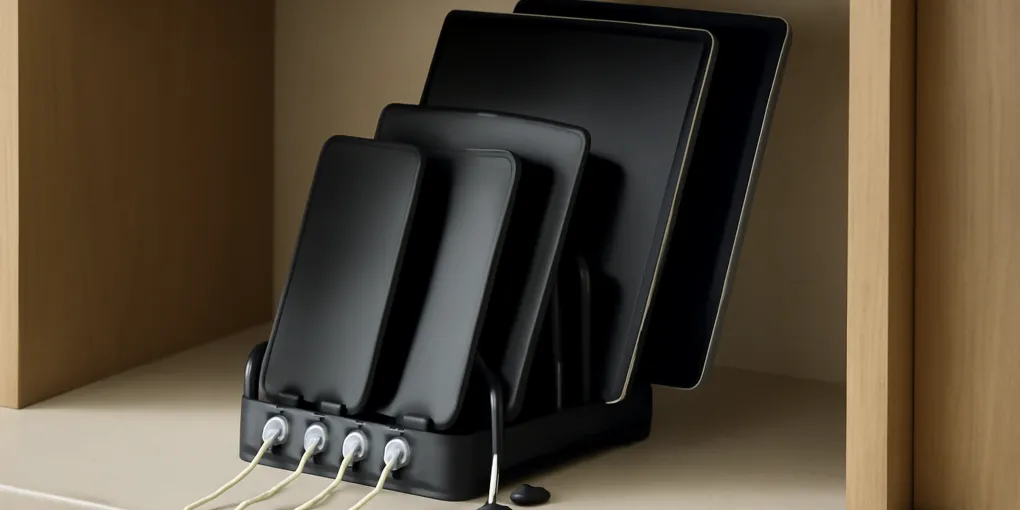
Family Device Charging Station: A Cable Reset Protocol That Reduces Fire and Trip Risk
ProtocolQuick picks
| Product | Key Specs |
|---|---|
| See price on Amazon |
|
| See price on Amazon |
|
| See price on Amazon |
|
Product availability, certifications, and retailer details can change; check the current Amazon page before buying.
A family charging station is a safety and clutter system, not just a dock. Phones, tablets, watches, earbuds, game controllers, and school devices create loops of cable, blocked outlets, hot adapters, missing chargers, and devices left on beds or floors. The fix is a small open station with short cables, airflow, and one weekly reset.
If the clutter is mostly desktop files, start with the digital desktop clutter guide. If the cables are already mixed with household paperwork, pair this with the mail triage station protocol.
Better product starting points
- Family dock: Search Amazon for multi-device charging stations when phones and tablets stack on one counter.
- Cable-length fix: Search Amazon for short USB-C cable packs when long cords loop across the floor or counter.
- Cable-control add-on: Search Amazon for adhesive cable clips when cords keep falling behind furniture.
Before buying, count devices, connector types, adapter wattage, and available outlet space. A tidy-looking dock that traps heat or uses the wrong cables is not an upgrade.
The safety baseline
The Electrical Safety Foundation International warns against overloading cords, running extension cords through walls or under rugs, and using damaged cords (ESFI extension cord safety). For a charging station, that translates into four practical rules:
- Use a hard, open surface with airflow.
- Keep charging away from bedding, paper piles, curtains, and soft upholstery.
- Replace frayed, cracked, hot, or unreliable cables.
- Do not treat an extension cord as a permanent outlet.
The station should make safe behavior easier than unsafe behavior. If a child charges a tablet in bed because the kitchen dock is full, the station is too small, too far away, or missing the right cable.
The 20-minute cable reset
Minutes 0 to 4: Dump and sort cables
Gather loose phone, tablet, watch, game, and headphone cables from the room. Sort by connector: USB-C, Lightning, micro-USB, proprietary watch chargers, and unknown. Throw away cables with exposed wire, bent connectors, heat damage, or intermittent charging. Do not keep risky cables as backups.
Minutes 4 to 8: Match devices to cable length
Long cords create loops. For a shelf or counter dock, short cables often work better because each device rests close to its divider. Keep longer cords only where a person must use the device while seated, such as a desk or reading chair. Do not route cords across walking paths.
Minutes 8 to 12: Choose the station location
Pick a hard surface near a real outlet. A console table, kitchen shelf, mudroom counter, or desk edge can work. Avoid closed baskets stuffed with adapters. Avoid charging on beds, couches, or under pillows. Leave enough clearance that adapters and devices are not buried.
Minutes 12 to 16: Label by device owner or connector
Labels prevent cable theft and mystery unplugging. Use owner labels for family phones and tablets. Use connector labels for shared cables. If written labels get ignored, use color ties or cable clips. The goal is to make the return path obvious at 10 p.m.
Minutes 16 to 20: Create the weekly check
Once a week, remove devices, wipe dust, check cable jackets, confirm adapters are cool during normal charging, and return only active cables. Store seasonal or guest cables in a separate pouch. Recycle dead electronics through local e-waste options.
Practical score
| Factor | Weight | What matters |
|---|---|---|
| Electrical safety | 30% | Cords are intact, not overloaded, and not routed under rugs or bedding. |
| Airflow | 25% | Devices and adapters have open space while charging. |
| Cable fit | 20% | Cable length and connector type match the dock, not an old junk drawer. |
| Retrieval speed | 15% | Each person can find the right device and cable quickly. |
| Reset ease | 10% | The station can be checked and dusted weekly. |
This scoring favors a boring, visible charging zone over a decorative hidden box that traps heat or hides damaged cords.
What belongs in the station
Keep only active daily devices and their matching cables in the station. Phones, tablets, e-readers, earbuds, watches, school devices, and controllers are good candidates. Keep spare adapters, travel chargers, old connectors, camera batteries, and guest cables in a separate labeled pouch or drawer.
Do not store paper, receipts, mail, craft supplies, or fabric in the same dock. Charging zones should not double as a junk tray.
Failure points to fix first
If devices are still charged on the floor, the station may not have enough slots. If cables go missing, label both ends or use shorter station-only cables that do not travel. If adapters feel hot, stop using that setup and check device and charger compatibility. If dust collects behind the shelf, move the dock forward so it can be cleaned.
Family charging station FAQ
Can a charging station go inside a drawer?
Only if the drawer is designed for powered devices, has ventilation, keeps cords from pinching, and follows product instructions. A regular closed junk drawer with paper and adapters is a poor charging station.
Should kids’ tablets charge in bedrooms?
A shared charging station outside bedrooms can reduce missing devices and bedtime cord clutter. It also makes cable damage and overheating easier for adults to notice.
What should I do with old charging bricks?
Test only the ones you can identify and still need. Recycle unknown, damaged, or obsolete electronics through a local e-waste program rather than leaving them in the active station.
Sources
Frequently Asked Questions
- Put it on a hard, open surface near an outlet where devices already land, not on beds, under pillows, or under piles of paper.
- Keep one cable per active device type plus one spare. Extra cables should be tested, labeled, and stored separately or recycled if damaged.
- No. Extension cords are temporary helpers, not permanent wiring. Use properly rated power strips and follow manufacturer instructions.